
01 — Enterprise · SaaS · AI
XLEY.AI Brand Campaign Dashboard
End-to-end enterprise campaign management rebuilt around how people actually work.
The Problem
A product with features but no coherent experience.
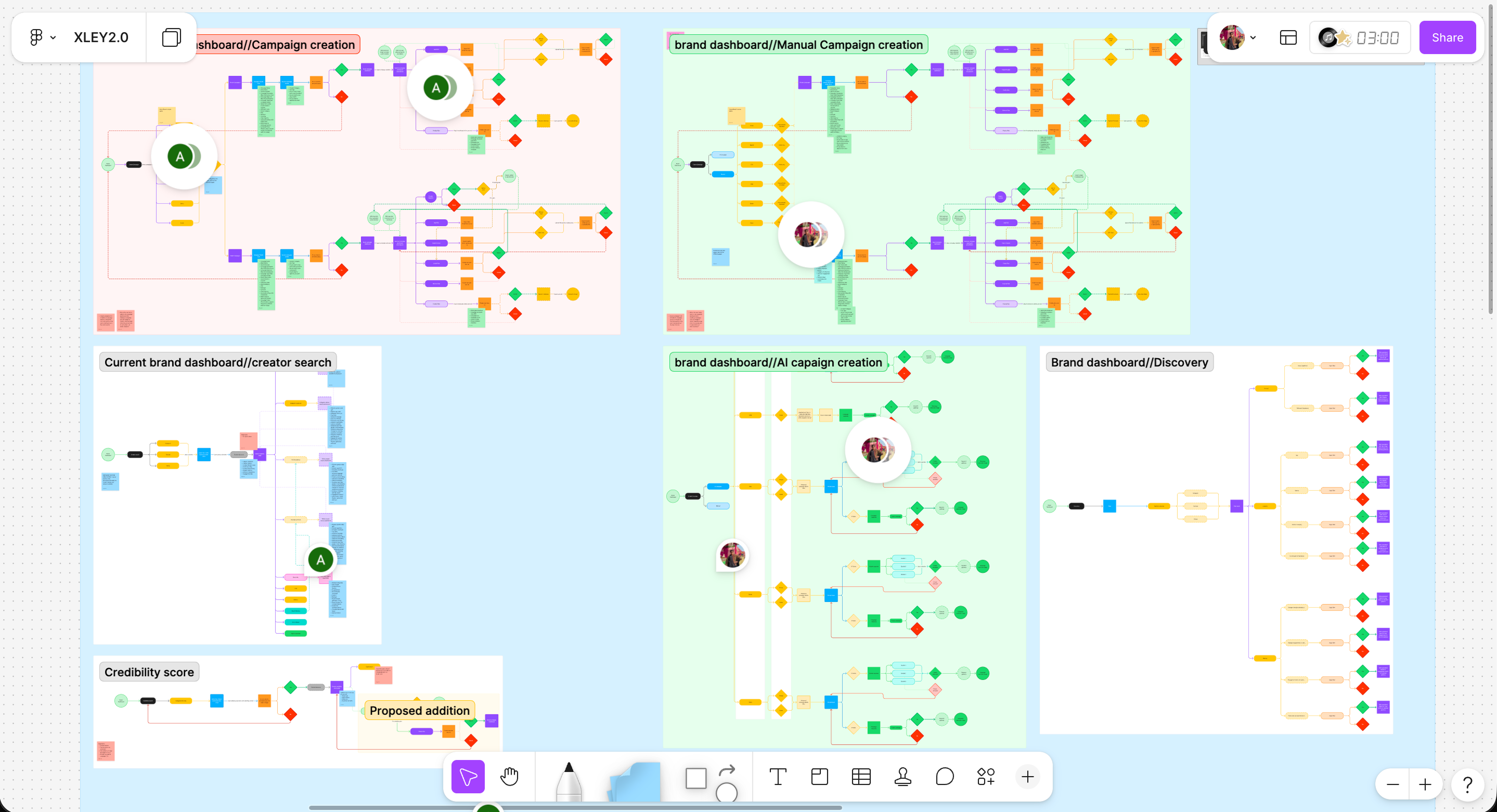
When I joined XLEY.AI the brand dashboard existed but had never been designed. Features were built, flows were assumed, and nobody had mapped how a brand actually moved through the product. No journey maps, no documentation, no design system.
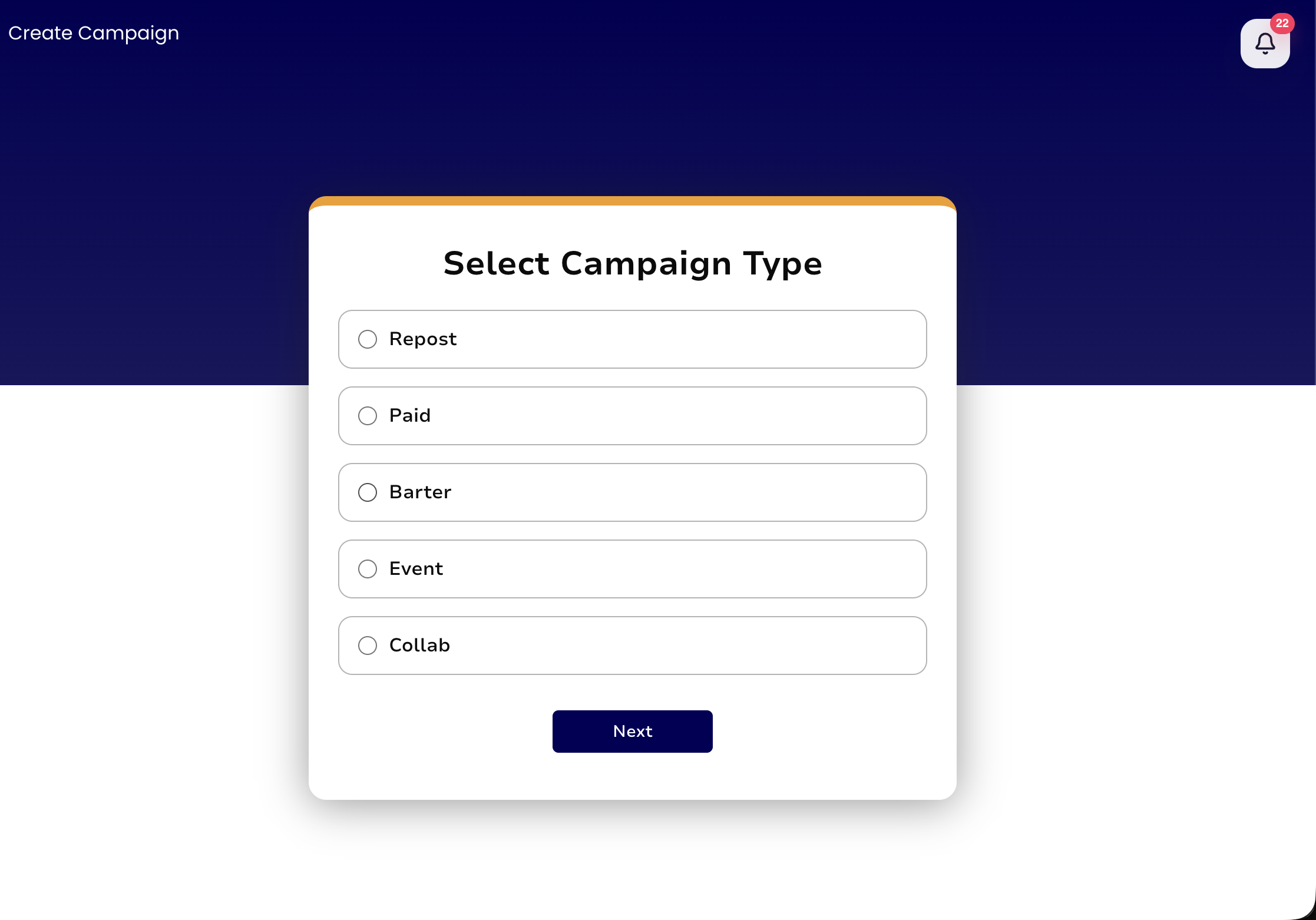
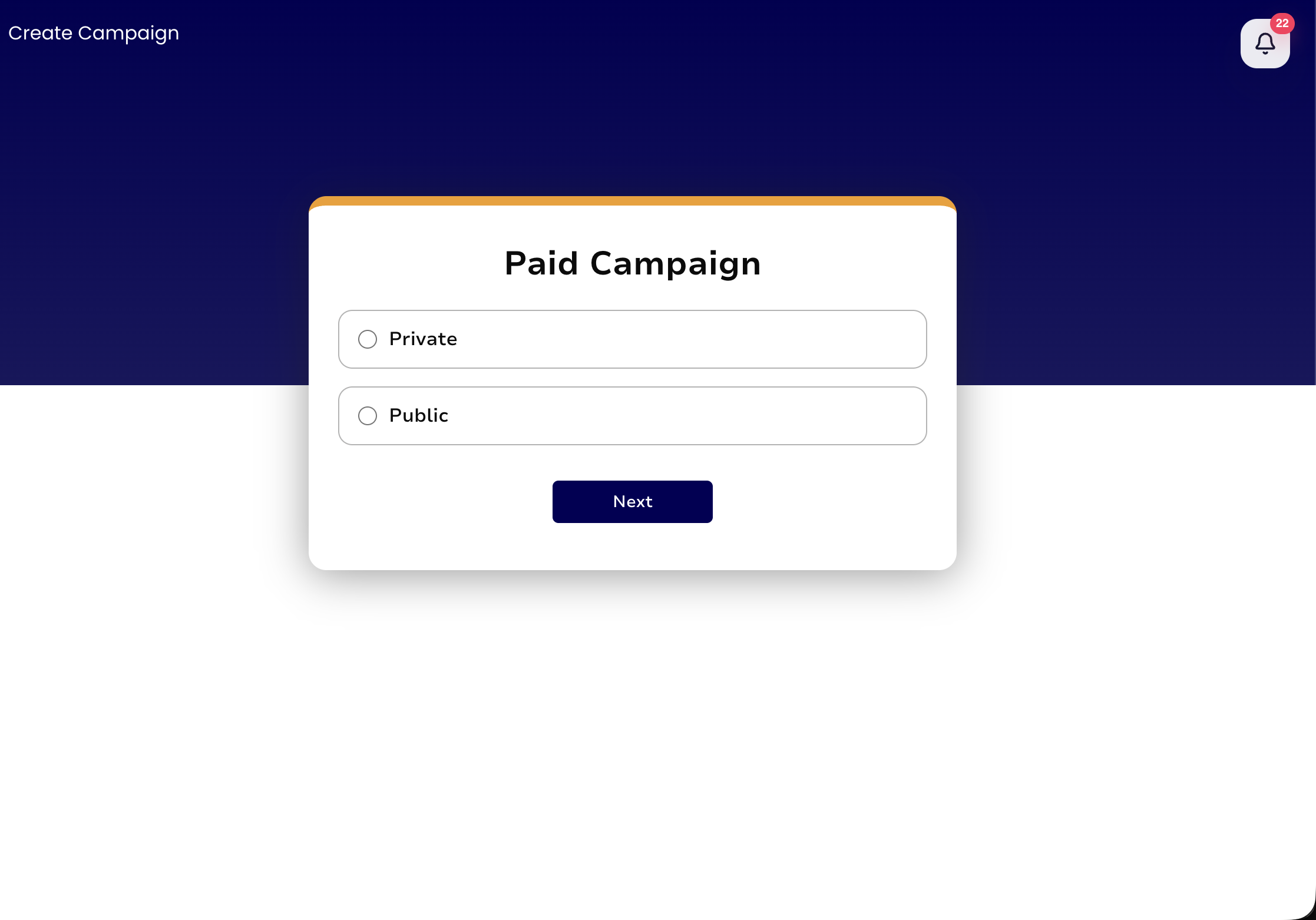
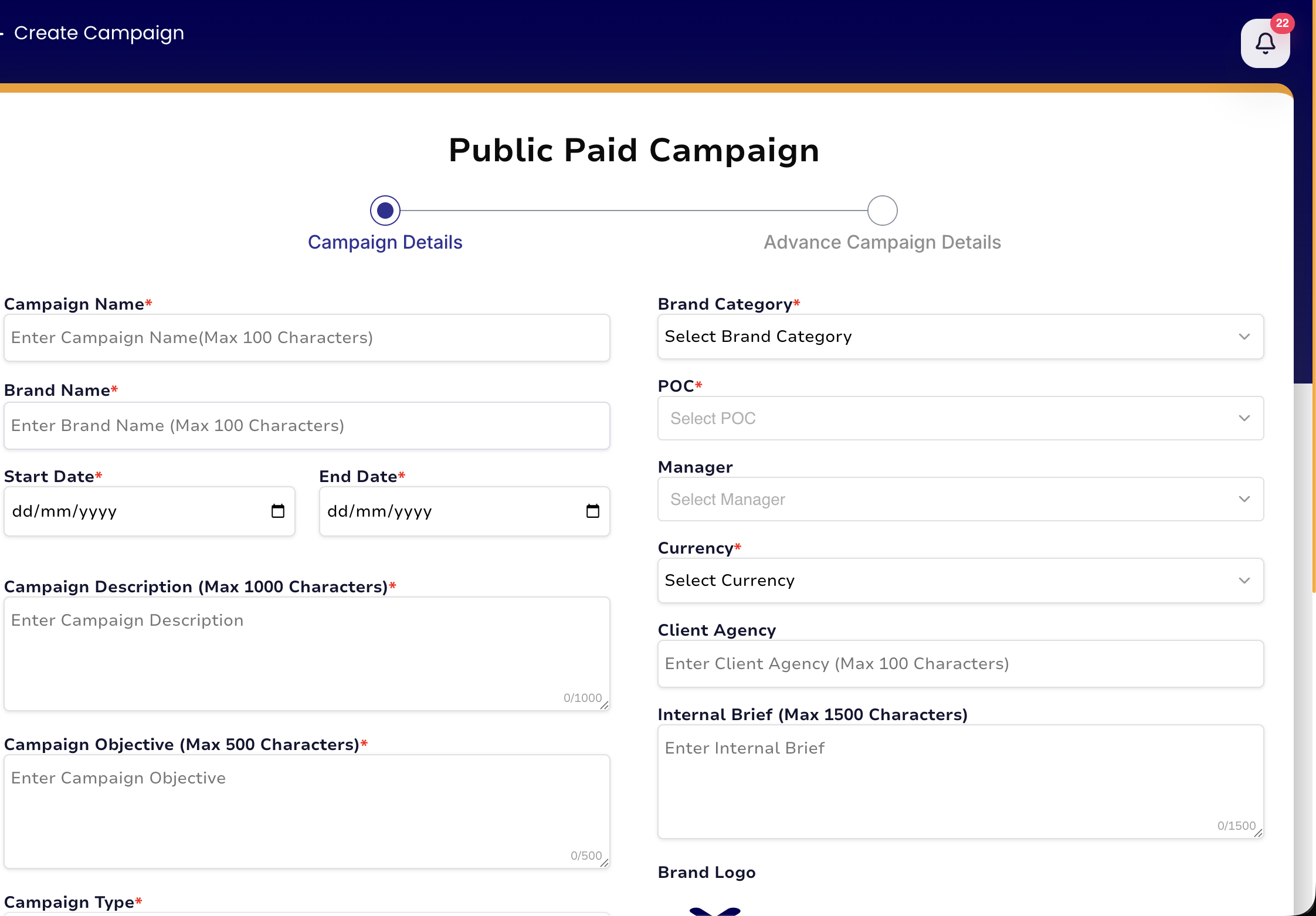
The campaign creation flow was the most broken part. Three pages, no back button, no flexibility. A brand that changed their mind on page 3 had to start from page 1.
The flow
3 pages, no back navigation, linear with no room for error.
The consequence
Brands starting over every time they made a mistake mid-campaign.
The gap
No design foundation. No journey maps, no system, no documentation.
Before
Three pages. No back button. Start over if anything went wrong.
Explorations
Three directions before the right one.
Exploration 01
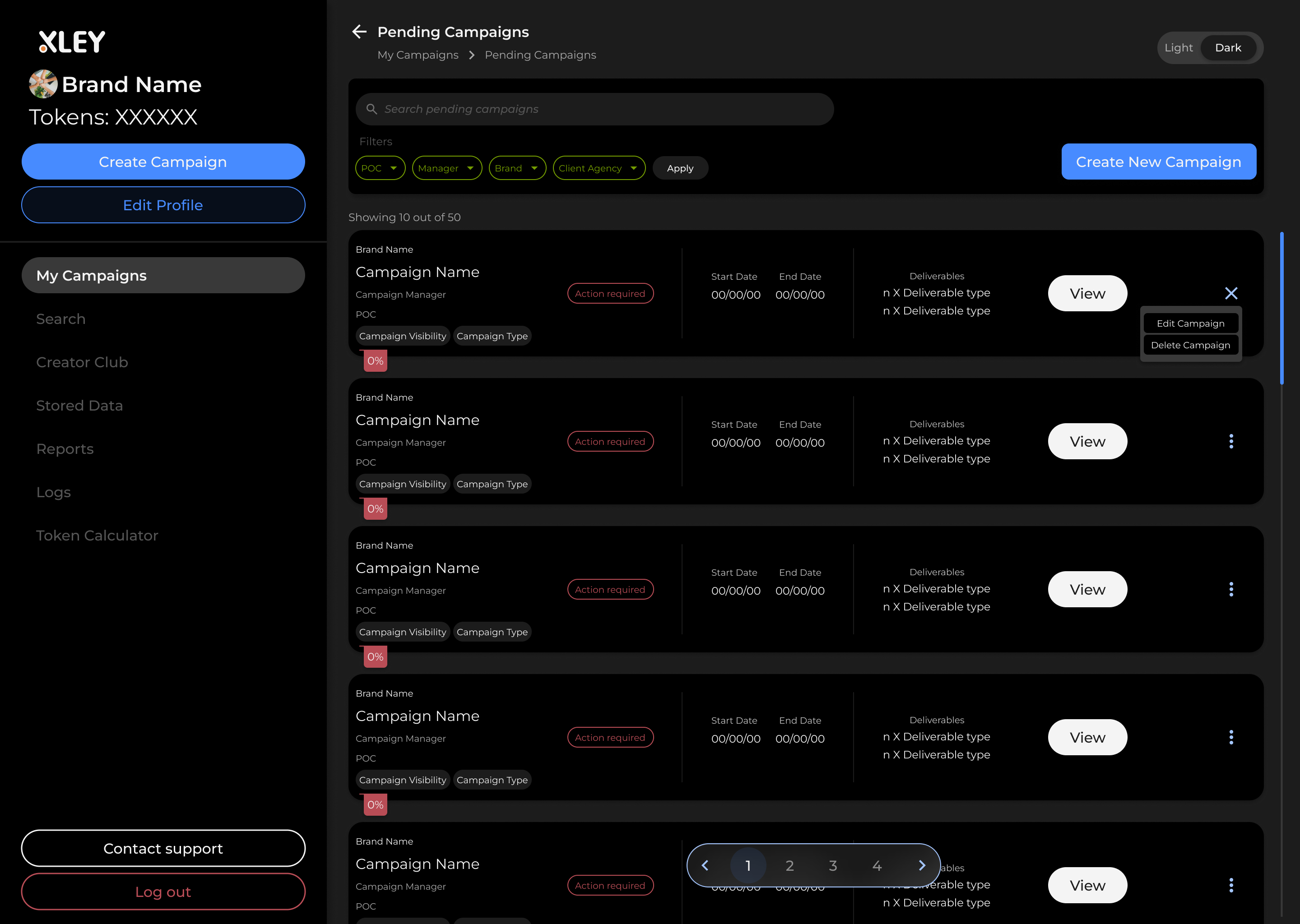
Dark Mode Single Page Form
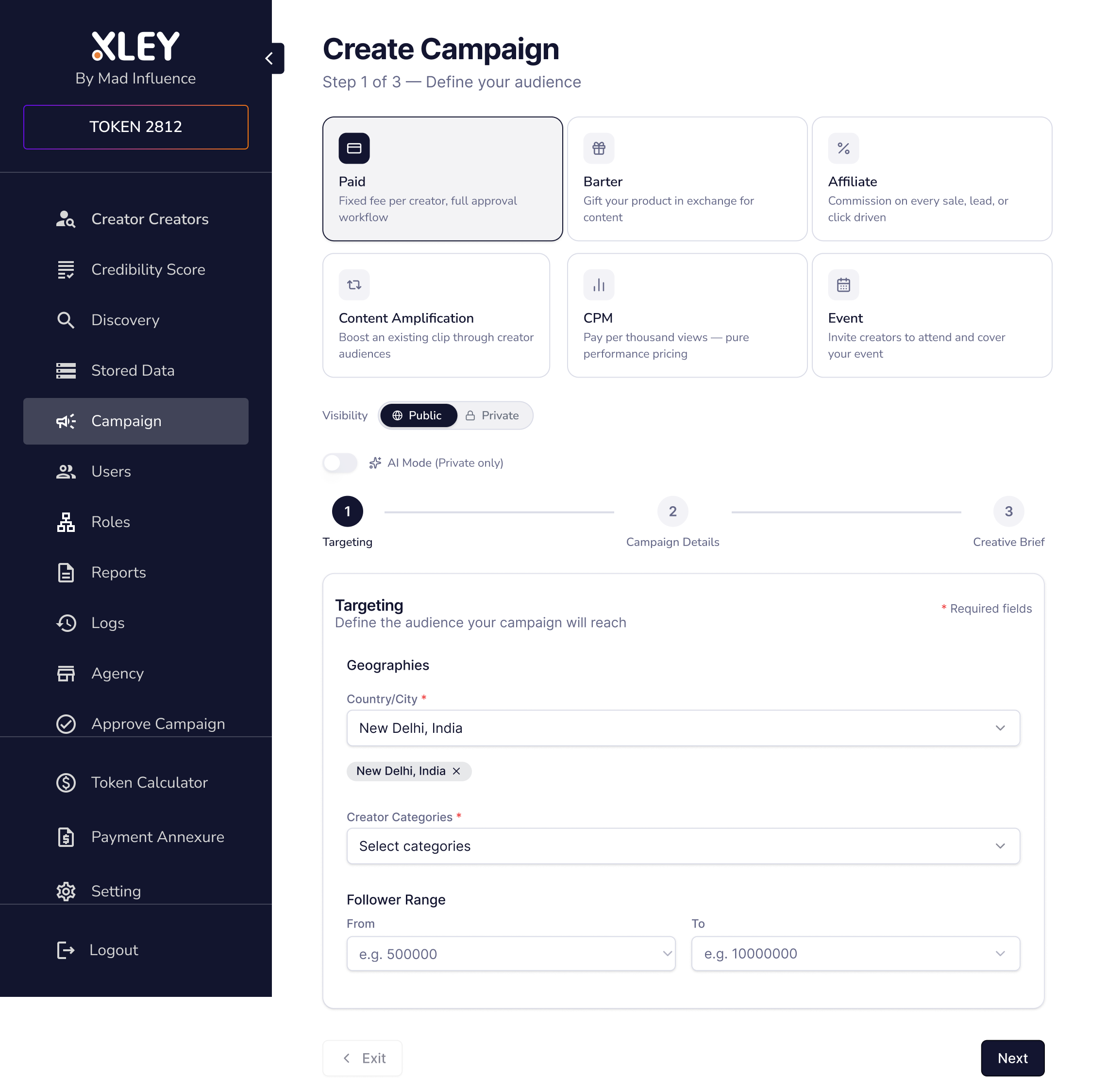
The first direction collapsed the three pages into a single scrolling form with a dark visual treatment. Structurally it solved the back navigation problem. Every field was visible and editable at any point.
Why it didn't work
Every stakeholder pushed back on dark mode. The product serves brand marketing teams who work in light environments. The visual direction created unnecessary friction before we even got to the UX argument.
Exploration 02
Prompt-Based Campaign Builder
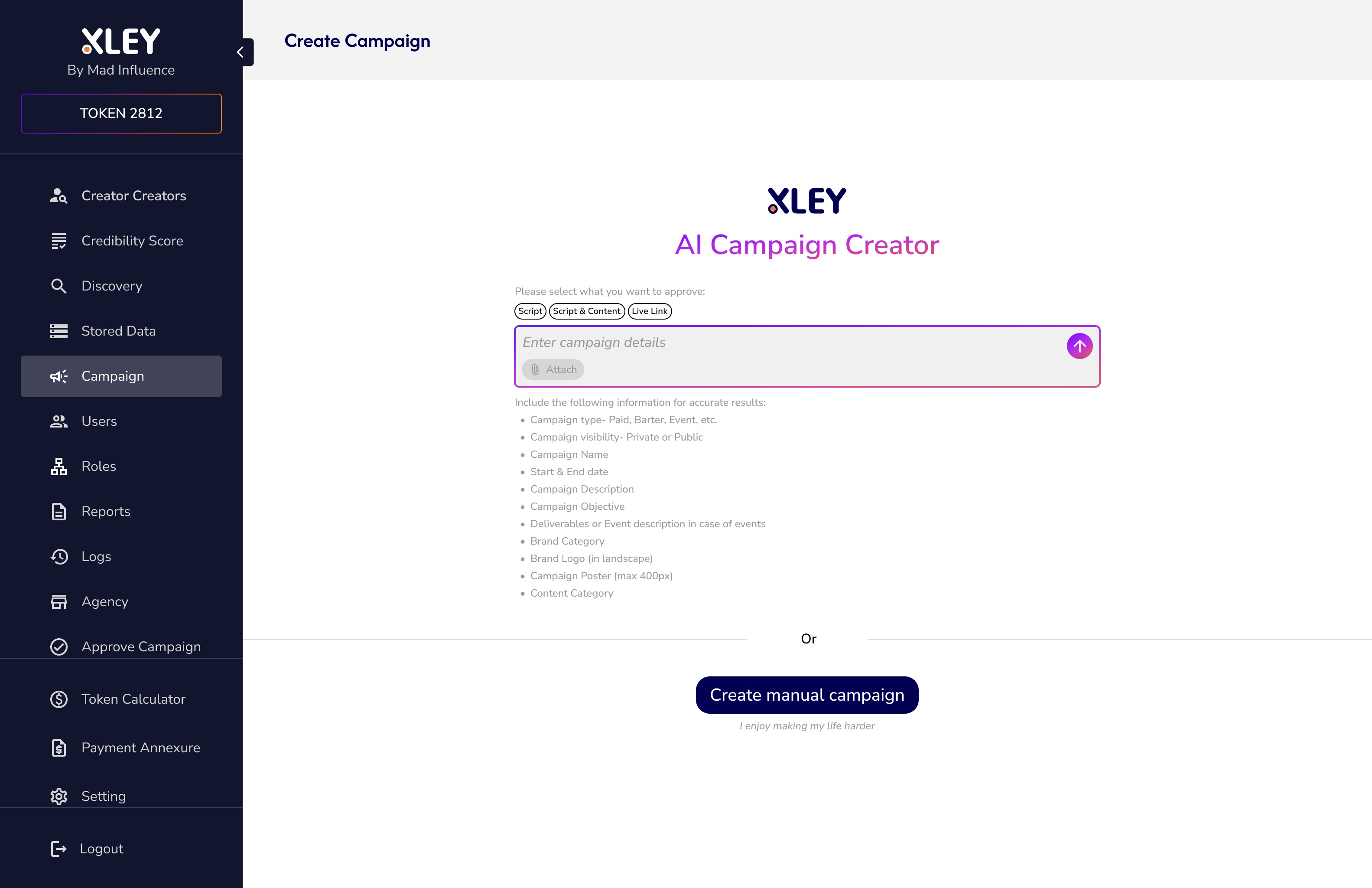
The second direction reimagined campaign creation as a chat interface. A brand would describe what they wanted in plain language and the system would generate a campaign structure in response. The idea was to remove the form entirely.
Why it didn't work
Open input from brand users produced unpredictable outputs. The quality of the campaign depended entirely on how well the user could articulate their brief. Most could not. The system needed more structure, not less.
Exploration 03
Live Build in Replit
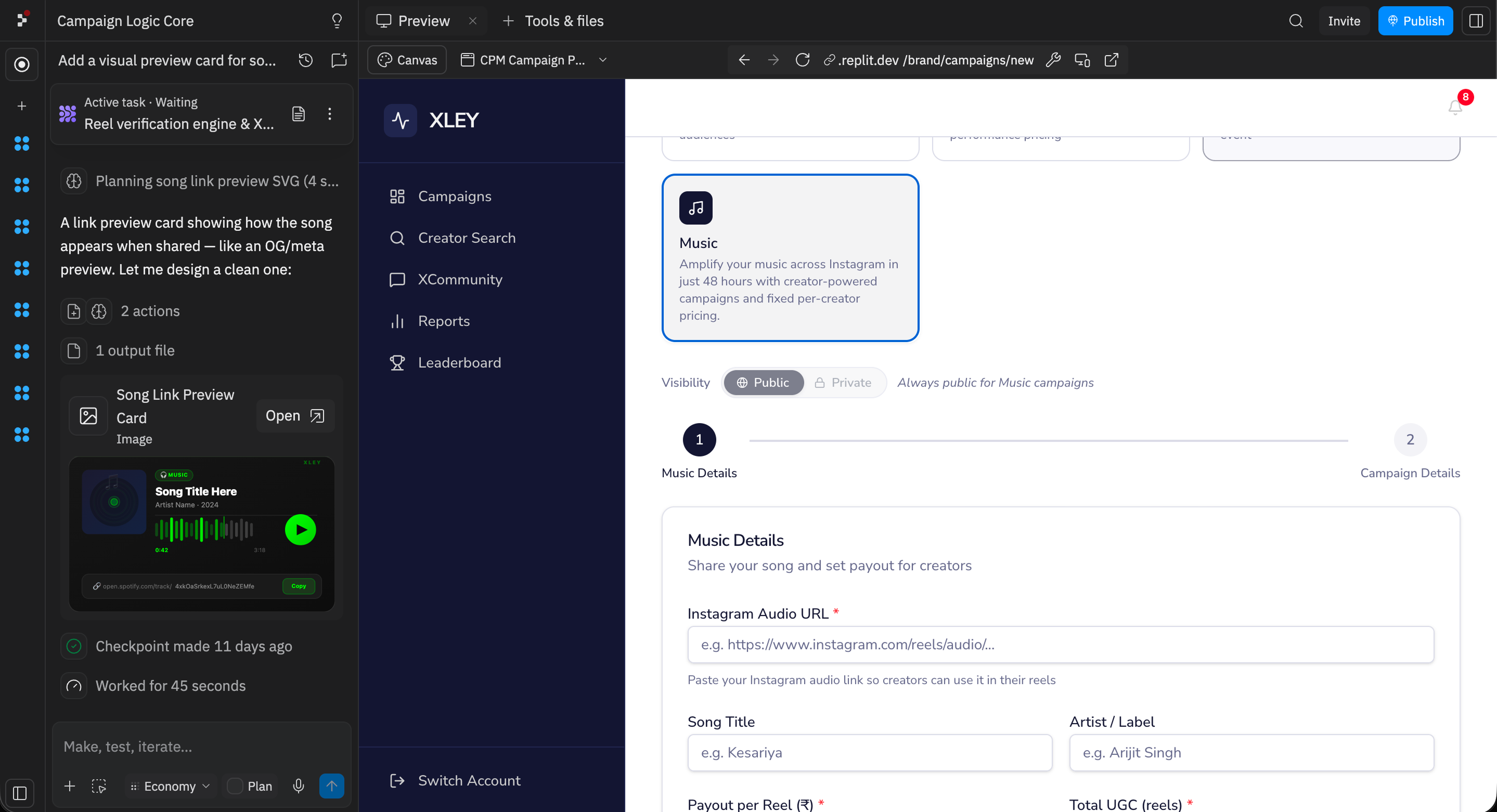
Instead of presenting wireframes for the third direction, I built a working prototype in Replit with dynamic data. Stakeholders could interact with a real campaign creation flow, not imagine one from static screens.
What happened
This was the one. The moment stakeholders could use it rather than look at it, the conversation changed. Dynamic data made the flow feel real. The single-page multi-step structure was approved in the same session.
The Decision
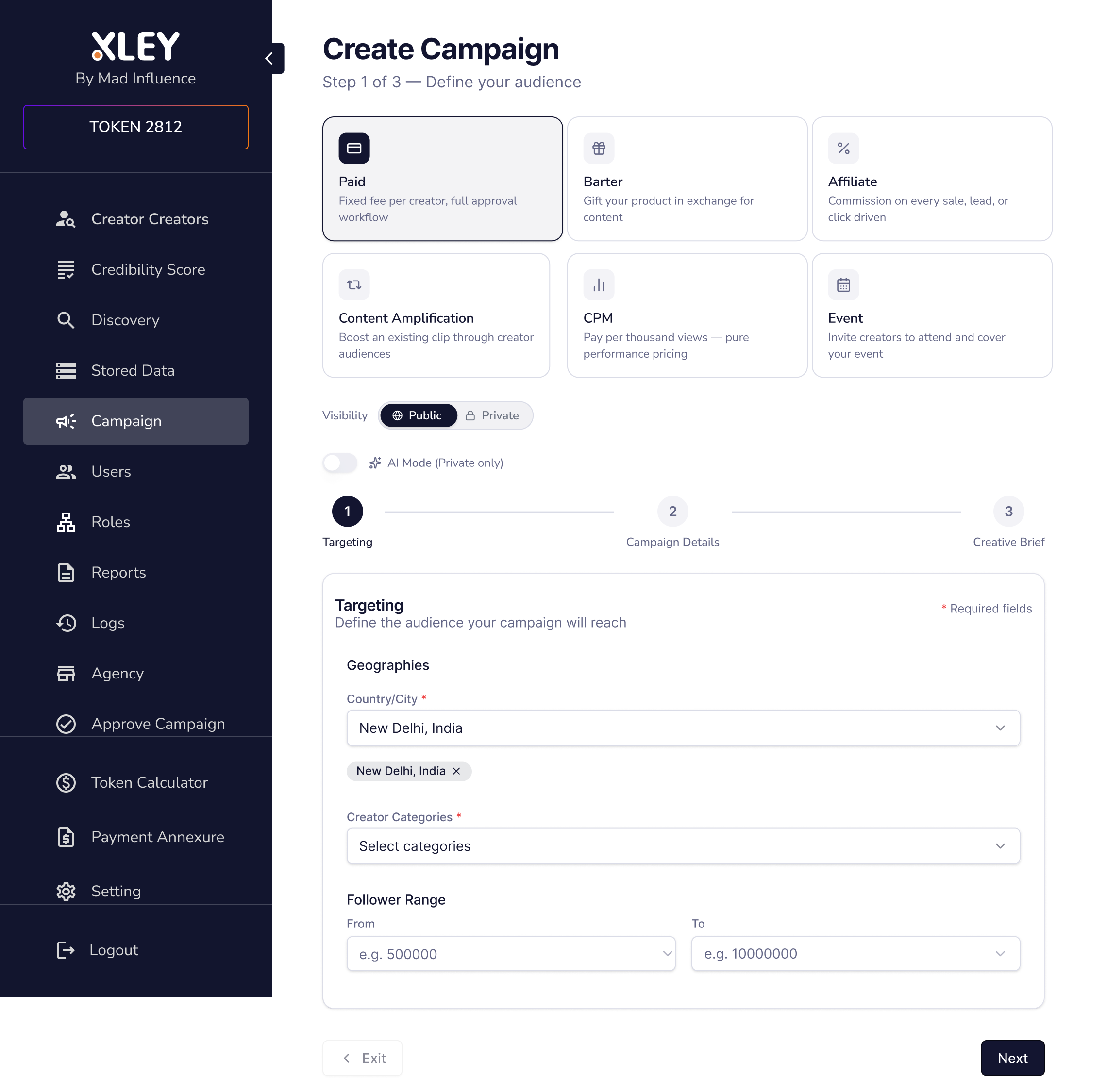
Single page. Dynamic selectors. No starting over.
Collapse the flow
Campaign type and visibility selectors at the top. Change either at any point without losing the form data below.
Adapt to context
The form adapts in real time to the campaign type selected. Only relevant fields appear. No generic form that tries to serve every type.
Add campaign types
Designed three new types: CPM, Music, and Affiliate. Each with its own configuration logic, surfaced only when selected.
Solution
What shipped.
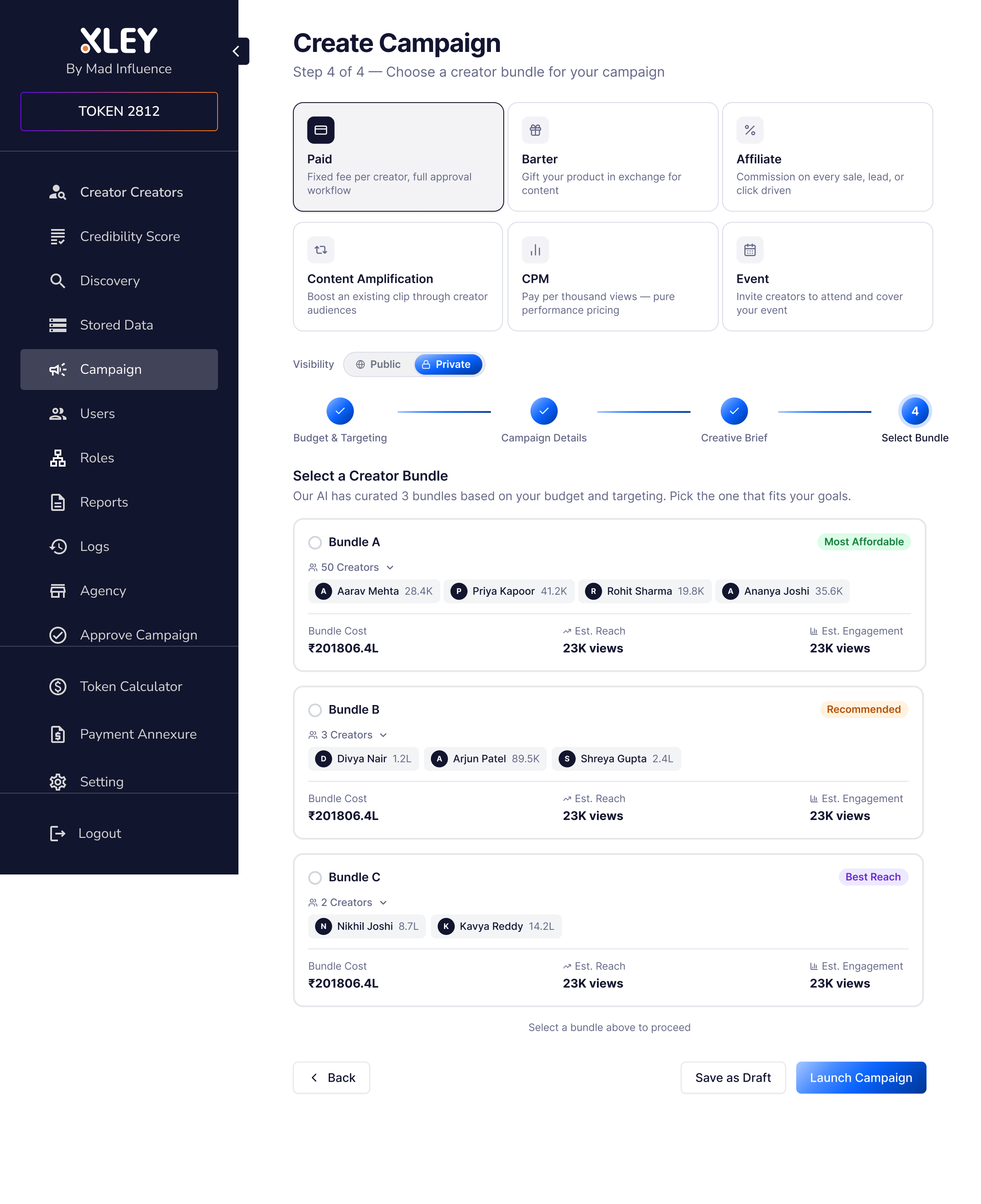
AI Campaign Builder
Three creator bundles generated from a single set of inputs.
The AI Campaign Builder is the final step in campaign creation. After a brand defines their type, budget, desired reach, target location, and creator follower range, the system generates three bundle options: A, B, and C.
Each bundle is a curated list of creators matched to the brief. The brand picks one and the campaign moves to execution.
One constraint was non-negotiable. Creator costing data only existed for Instagram. I recommended locking the builder to Instagram until data infrastructure supported other platforms. Showing YouTube and TikTok as available when the data did not support them would have broken output quality and eroded trust in the feature.
I was initially overruled in favour of "coming soon" labels. I pushed back. The correct build is now in the development pipeline.
Outcome
15 to 20 campaigns executed on the redesigned flow in the first period after launch.
Feedback from brands and internal teams: simpler, cleaner, better visual experience across the board.
A product without a design foundation now has documented flows, a coherent information architecture, and a campaign creation experience any brand user can navigate without training.
What I'd Do Differently
“Build the design system before touching any individual flow.”
Designing features on a product with no prior design foundation means making system-level decisions inside feature-level work. That inconsistency compounds over time. I would have established a component library first, then designed flows within it.
I would also have pushed earlier for a structured way to evaluate feature requests against user needs. The framework for that is a design leadership responsibility, not just a product management one.